.webp)
.webp)


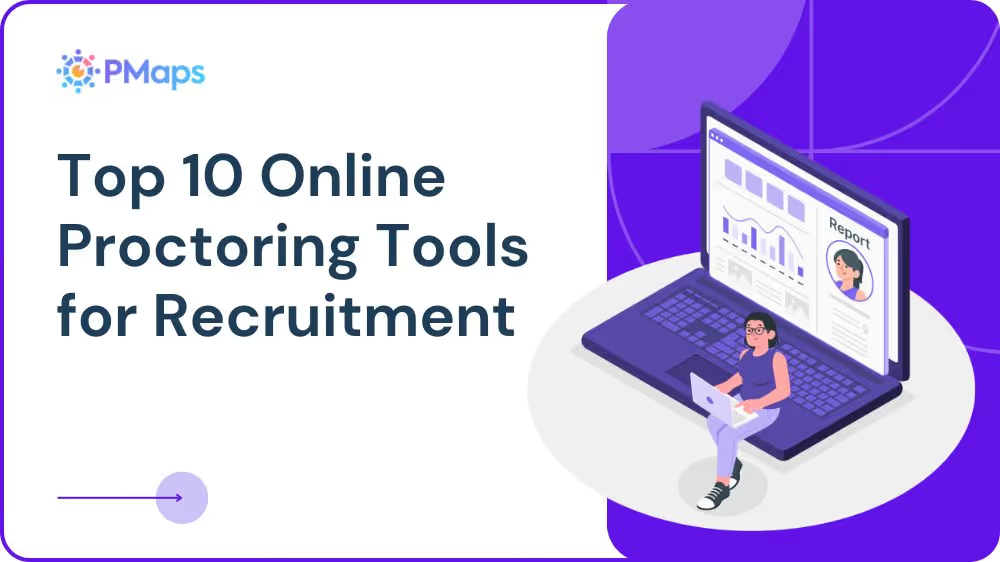
With remote hiring on the rise, proctored assessments help ensure your testing remains standardized and tamper-resistant. Many platforms have proctored over 80 million applicants with a 99%+ success rate, boosting completion rates and NPS across sectors. AI-powered proctoring tools help recruiters prevent cheating and impersonation, ensuring trust and fairness in digital hiring. Let’s check out the list of top proctoring tools.
Why You Need Online Proctoring Tools for Recruitment
Remote recruitment assessments are vulnerable to impersonation, AI-assisted cheating, and content leakage. Online proctoring tools safeguard hiring credibility by verifying identities, monitoring suspicious behavior, and preserving assessment fairness at scale.
- Ensures the integrity and security of remote assessments
- Eliminates cheating and unfair practices during online exams
- Scales recruitment processes with real-time monitoring
- Saves time and costs associated with in-person assessments
- Provides flexibility for global hiring with remote capabilities
What to Look for in Online Proctoring Tools
To choose the right online proctoring tool, consider how well it monitors, how strong its AI detection is, how it verifies identities, how flexible its scheduling is, and how it integrates with your systems. This helps keep assessments secure and easy to manage.
- Real-Time Monitoring: Ability to monitor candidates live during assessments through video, screen tracking, and activity logging to prevent cheating or unauthorized behavior.
- AI-Powered Detection: Uses advanced AI algorithms to detect suspicious movements, tab switching, multiple faces, background noise, and flag potential cheating attempts automatically.
- Candidate Authentication: Ensures the candidate is who they claim to be through biometric verification, facial recognition, ID checks, or multi-factor identity verification.
- Test Scheduling and Management: Allows recruiters to schedule, organize, reschedule, and track assessments efficiently while maintaining structured workflows and clear visibility into candidate progress.
- Integration with ATS and HR Platforms: Enables seamless integration with existing ATS, HRIS, and recruitment platforms to ensure smooth data flow and uninterrupted hiring processes.
Top 10 Online Proctoring Tools for Recruitment
The following proctoring platforms provide secure, scalable, and AI-powered monitoring to protect remote recruitment assessments. These solutions help organizations maintain test integrity and fairness while automating candidate authentication and detecting cheating.
1) PMaps
PMaps is a proctored AI assessment platform that delivers secure testing with built-in features across its workflows, combining automated monitoring, browser security, and behavior analytics to ensure the integrity of remote recruitment.
- Key Features: AI-driven monitoring, test integrity flags, secure browser checks, identity authentication, and real-time candidate supervision.
- Standout Features: Integrates proctoring directly into its assessment platform, enabling unified candidate evaluation and security in a single workflow.
2) Sherlock AI
Sherlock AI is a cloud-based interview proctoring agent that monitors remote interviews and tests in real time to detect suspicious behavior and fraud.
- Key Features: Real-time fraud detection using machine learning, device activity analysis, audio/environment monitoring, and instant alerts.
- Standout Features: The system automatically flags potential fraud, reducing the need for manual checks during live interviews.
3) ProctorU
ProctorU provides live human proctors alongside automated options to ensure secure, high-stakes assessments, widely used for exams and recruitment evaluations.
- Key Features: Live remote proctoring, human-in-loop monitoring, identity checks, and escalation protocols.
- Standout Features: Trusted for high-security scenarios with real-time supervision and human judgment support.
4) Examity
Examity’s platform offers AI and live proctoring, blending automated monitoring with human oversight for secure remote assessments.
- Key Features: AI-based monitoring, live proctors, identity verification, recording, and exam session analytics.
- Standout Features: Offers flexible proctoring options to accommodate varying security levels and candidate needs.
5) Proctorio
Proctorio delivers fully automated proctoring with multiple monitoring layers, including browser lockdown and verification settings tailored to remote recruitment assessments.
- Key Features: Browser lockdown, webcam/audio monitoring, customizable recording settings, and live proctor support.
- Standout Features: Security settings can be adjusted as needed, and the system records and reports activity in real time to demonstrate test integrity.
6) Proctortrack
Proctortrack by Verificient offers AI-powered identity verification and remote proctoring, enhancing exam integrity through biometric scans and continuous monitoring.
- Key Features: Biometric authentication, webcam monitoring, behavior tracking, and secure test sessions.
- Standout Features: Strong identity checks work alongside remote monitoring, making it a good fit for organizations with strict compliance requirements.
7) Think Exam
Think Exam provides online examination and proctoring tools that support live monitoring, secure test delivery, and automated invigilation.
- Key Features: Proctoring features, test creation, scheduling, exam analytics, and performance dashboards.
- Standout Features: Exam creation and proctoring are combined into a single platform.
8) Talview
Talview combines AI-powered proctoring with video interviewing and assessment tools to secure recruitment testing processes.
- Key Features: AI monitoring, browser lockdown, identity verification, and live proctor support.
- Standout Features: Proctoring and candidate engagement work together on all device types, with strong fraud detection.
9) TestTrick
TestTrick is a hiring assessment platform that includes AI-powered proctoring tools and browser lockdown for secure remote candidate evaluations.
- Key Features: AI proctoring, lockdown mode, video monitoring, and integration with applicant tracking systems.
- Standout Features: Easily connects with applicant tracking systems and delivers secure assessments for remote hiring.
10) Xobin
Xobin provides secure online proctoring capabilities as part of its assessment suite to conduct AI-monitored tests during recruitment.
- Key Features: AI proctoring, candidate monitoring, screen recording, and virtual exam safeguards.
- Standout Features: Proctoring is built into the full hiring platform, so it is part of the entire screening process.
How to Choose the Right Online Proctoring Tool
When choosing an online proctoring tool, balance security, scalability, and the candidate experience. Check how well it monitors, meets compliance rules, and fits with your systems. The best tool keeps assessments secure and easy for both recruiters and candidates.
Define Your Security Needs
Begin by thinking about how sensitive your assessments are. For high-stakes hiring, you need stronger identity checks, closer monitoring, and detailed records to maintain credibility and prevent cheating.
- Identify assessment risk levels.
- Determine the need for live vs automated proctoring
- Define acceptable fraud thresholds
- Evaluate identity verification requirements
Must-Have Features for Proctoring Tools
Good proctoring tools should be secure and scalable as your needs grow. Look for options that offer strong monitoring, automation, and easy integration to keep remote hiring simple.
- Real-time monitoring and flagging
- Strong security and identity verification
- Scalable options for global teams
- Integration with ATS and recruitment platforms
Prioritize User Experience & Accessibility
A secure system should not make things harder for candidates. Check if it works well on mobile devices, meets accessibility needs, runs on low bandwidth, and provides clear instructions to keep things fair and reduce dropouts.
- Mobile-friendly interface
- Clear candidate instructions
- Low system requirements
- Accessibility compliance
Integration and Support
Proctoring tools should fit easily with your current recruitment systems. Before choosing one, check if it has the right APIs, works with your ATS, offers good onboarding help, and provides quick technical support.
- ATS and HRIS compatibility
- Open API availability
- Implementation support
- Ongoing technical assistance
Data Privacy and Compliance
It is important to handle candidate data carefully. Make sure the platform follows data protection laws and clearly explains how it stores, encrypts, and audits information to keep it safe.
- GDPR and regional compliance
- Data encryption standards
- Secure storage protocols
- Clear data retention policies
Conduct Trials
Test the tool in real recruitment situations before using it fully. Running pilot assessments helps you identify issues with usability, monitoring, or device compatibility.
- Run pilot assessments
- Test across devices and geographies
- Evaluate fraud detection accuracy
- Gather recruiter and candidate feedback
Conclusion
Online proctoring tools help keep remote recruitment fair and secure. The right solution can prevent cheating, support compliance, and make it easier to hire at scale. PMaps Secure Proctoring offers advanced monitoring and a simple workflow. To learn more, call 8591320212 or email assessment@pmaps.in.